

Billing breakdown
The Billing breakdown page shows how your storage cost at the FreightNI warehouse builds up, day by day: the volume stored and the daily charge. Each period becomes your monthly storage invoice.
Check your storage cost so far
Section titled “Check your storage cost so far”- Click Warehousing in the top menu, then Billing breakdown. You can also click the Storage cost · MTD tile on your Main Dashboard.
- The page opens on the current billing period, from the 20th of last month to the 19th of this month.
- Read the total at the bottom of the Daily Portion column. That is your storage cost for the period so far.

Warehousing, then Billing breakdown (1). The Date chip (2) shows the period.
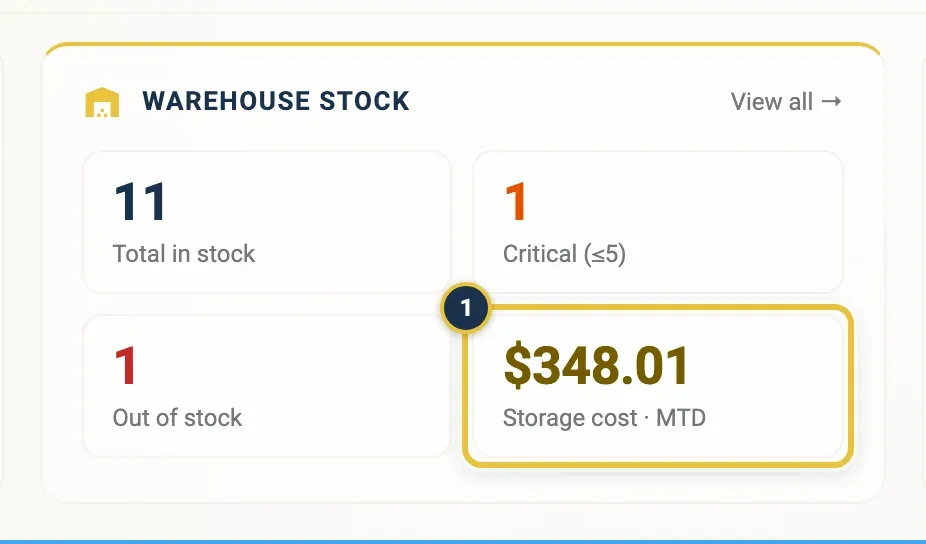
Or click Storage cost · MTD (1) on the Main Dashboard.
Read a day on the Billing breakdown
Section titled “Read a day on the Billing breakdown”Each row is one day:
- Date: the day the volume was measured.
- Total CBM: the volume you had in storage that day, in cubic metres, with cubic feet (CBF) underneath.
- Prorated Rate: the monthly rate divided by the number of days in the month.
- Daily Portion: that day’s charge, the volume in cubic feet times the prorated rate.
- Storage Rate: your monthly storage rate per cubic foot.
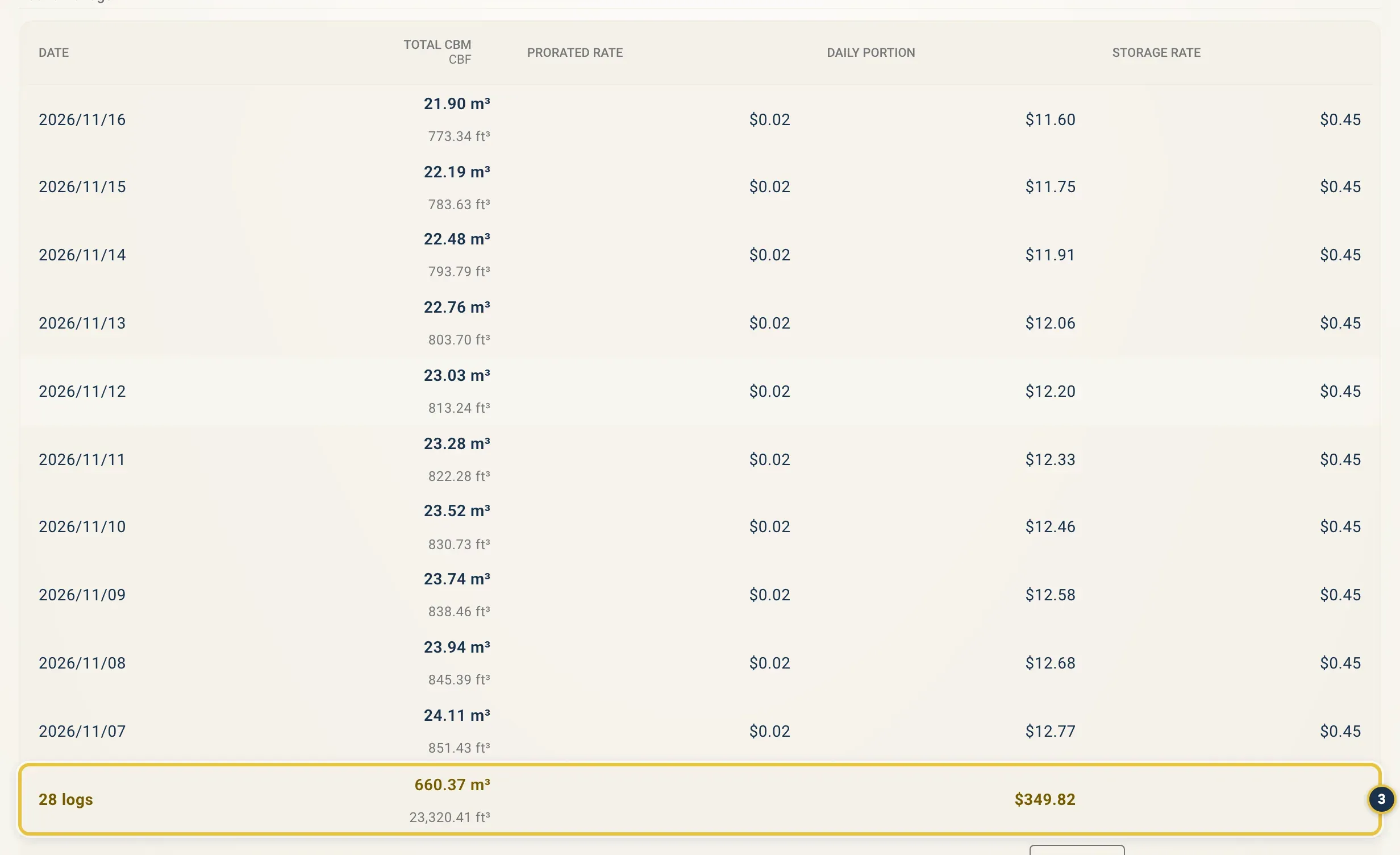
One row per day. The row at the bottom (3) counts the days and adds up Total CBM and Daily Portion.
Look at another billing period
Section titled “Look at another billing period”- On the Billing breakdown page, click the Date filter.
- Pick a start and end date. To match an invoice, choose the 20th of one month to the 19th of the next.
Good to know
Section titled “Good to know”- Each billing period runs from the 20th to the 19th and becomes your monthly storage invoice, under Invoices in your user menu. See Invoices.
- Amounts are shown in US dollars.
- Storage is billed on the cartons the warehouse counted in, not on the number you expected. See Inbound stock.
- For an estimate per product, see Estimated Storage Cost on the Stock page.