
Your subscription and plans
EasyReports has three plans: Free, Lite and Pro. Your plan belongs to your organisation, and My Subscription in the user menu shows which plan it is on.
The EasyReports plans
Section titled “The EasyReports plans”- Free: warehouse and stock management and the Product Catalog. No Amazon connection and no reports, apart from Monthly reports.
- Lite: everything in Free, plus the Amazon connection, products filled in from Amazon, SKU Margins, Sales & Traffic and Amazon Exports.
- Pro: everything in Lite, plus the Profit and Loss report and SKU Profitability.
You can see the prices on the Pricing page, monthly or yearly, in US dollars. The Pricing page also mentions a 14-day free trial. Trials are not open yet: see below for how to get Lite or Pro today.
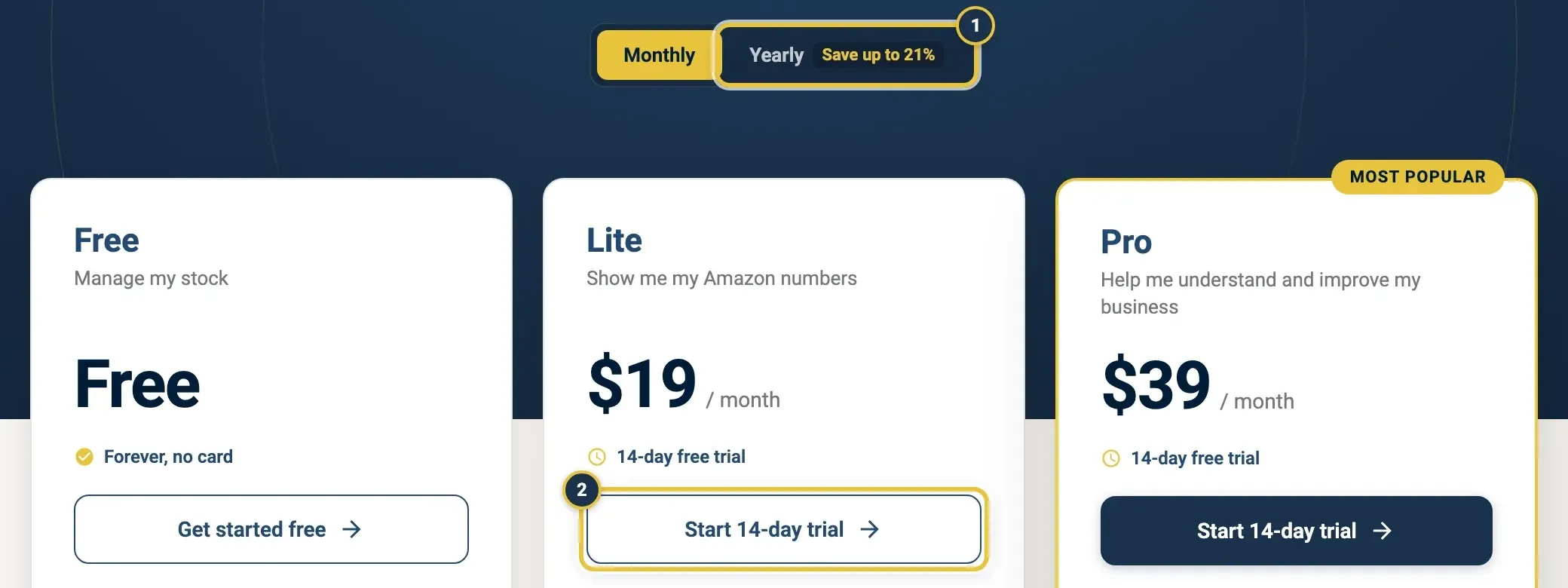
The Pricing page: switch between Monthly and Yearly prices (1). Start 14-day trial (2) is not open yet.
Get Lite or Pro today
Section titled “Get Lite or Pro today”You can’t start a trial or pay for Lite or Pro yourself yet. If you click Start 14-day trial on the Pricing page, EasyReports shows “Trials are coming soon — not available yet.” and nothing else happens.
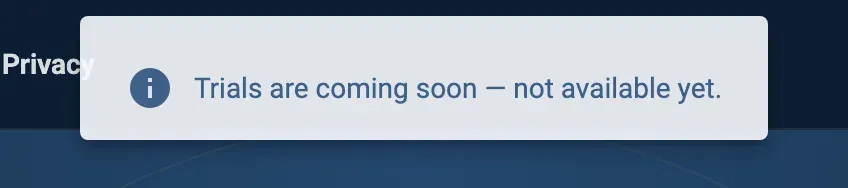
What you see after Start 14-day trial, for now.
To move to Lite or Pro, ask FreightNI:
- Click Help in the top bar, then Contact support. On the Support page, under Pick a topic, choose Billing and click Open in mail app. The email goes to enquiries@freightni.com.
- Say which organisation it is for and which plan you want: Lite or Pro.
- FreightNI turns the plan on for your organisation. The badge next to My Subscription in the user menu then shows the new plan. If a Lite or Pro page still shows an upgrade panel, reload the page.
When FreightNI turns a plan on for you, My Subscription says “Plan is active for your organisation without a Stripe subscription, so there is nothing to bill or manage here.” That is expected: there is no card or Stripe billing to manage in EasyReports. Questions about what you pay go to FreightNI.
Open My Subscription
Section titled “Open My Subscription”- Click your name or avatar in the top right to open the user menu.
- Choose My Subscription. The badge next to it shows your current plan.
On the Free plan, My Subscription says “You’re on the Free plan” and has a View pricing plans button that opens the Pricing page.
If your plan is billed through Stripe
Section titled “If your plan is billed through Stripe”The rest of this page applies only to an organisation with a Stripe subscription. For a plan that FreightNI turned on for you (see above), My Subscription has no plan card, billing details or invoices.
Check your plan and trial on My Subscription
Section titled “Check your plan and trial on My Subscription”The plan card at the top shows:
- Current plan, with a status chip: Trialing, Active or Action needed.
- What you pay (You pay), or what you will pay After trial.
- During a trial: how many days are left, and the date you will first be charged.
Below it, What’s in your plan lists what is included, and what you unlock with the next plan. Billing details shows your next invoice date and amount, your Billing email and your Billing cycle.
Action needed means a payment did not go through. Click Manage billing and update your card.
Upgrade from Lite to Pro
Section titled “Upgrade from Lite to Pro”- On My Subscription, find the Upgrade to Pro for deeper analytics card.
- Click Upgrade plan. The Stripe Customer Portal opens.
- Choose Pro and confirm. Plan changes are pro-rated to the day.
Manage billing on My Subscription
Section titled “Manage billing on My Subscription”Click Manage billing (or Stripe Customer Portal) to open Stripe. There you can change your card, switch between monthly and yearly, and update your billing details.
Cancel your subscription
Section titled “Cancel your subscription”- On My Subscription, click Cancel subscription.
- Click Yes, cancel. The Stripe Customer Portal opens.
- Confirm the cancellation in Stripe.
You keep your plan until the end of your trial or the period you paid for. Then your organisation moves to the Free plan. Your warehouse pages keep working.
Download your plan invoices
Section titled “Download your plan invoices”Invoice history on My Subscription lists your EasyReports plan invoices. Click the download icon on a row to get one invoice, or Download all to open them all.
Good to know
Section titled “Good to know”- Your plan belongs to the organisation, not to you. If you have more than one organisation, select the right one first. See Organisations, teammates and switching.
- We email you three days before a trial ends, and before a yearly plan renews. See Emails we send you.
- FreightNI warehouse invoices are not here. They are on Invoices.
- If you open a Pro page while on Lite, you see an upgrade panel instead. Its Upgrade to Pro button takes you to My Subscription. Without a Stripe subscription, ask FreightNI for Pro as described above.