

Getting help
Stuck on something? EasyReports has a short video for most pages, and real people to email when a video isn’t enough.
Watch the help video for a page
Section titled “Watch the help video for a page”Most pages in EasyReports have their own short video.
- Click Help in the top bar, next to your name. On a phone it shows as a question-mark icon.
- Under This page, click the video to play it.
- Under Related, pick another video that goes deeper on the same job, for example the Automatic and Manual replenishment walkthroughs on the Replenishments page.
If a page has no video of its own, the Help panel suggests the Getting started video under New here? Start with this.
Click All videos to open the EasyReports channel on YouTube, with every tutorial in playlists: Getting started, Sending stock to Amazon, Warehouse & billing, and Reports & profit.
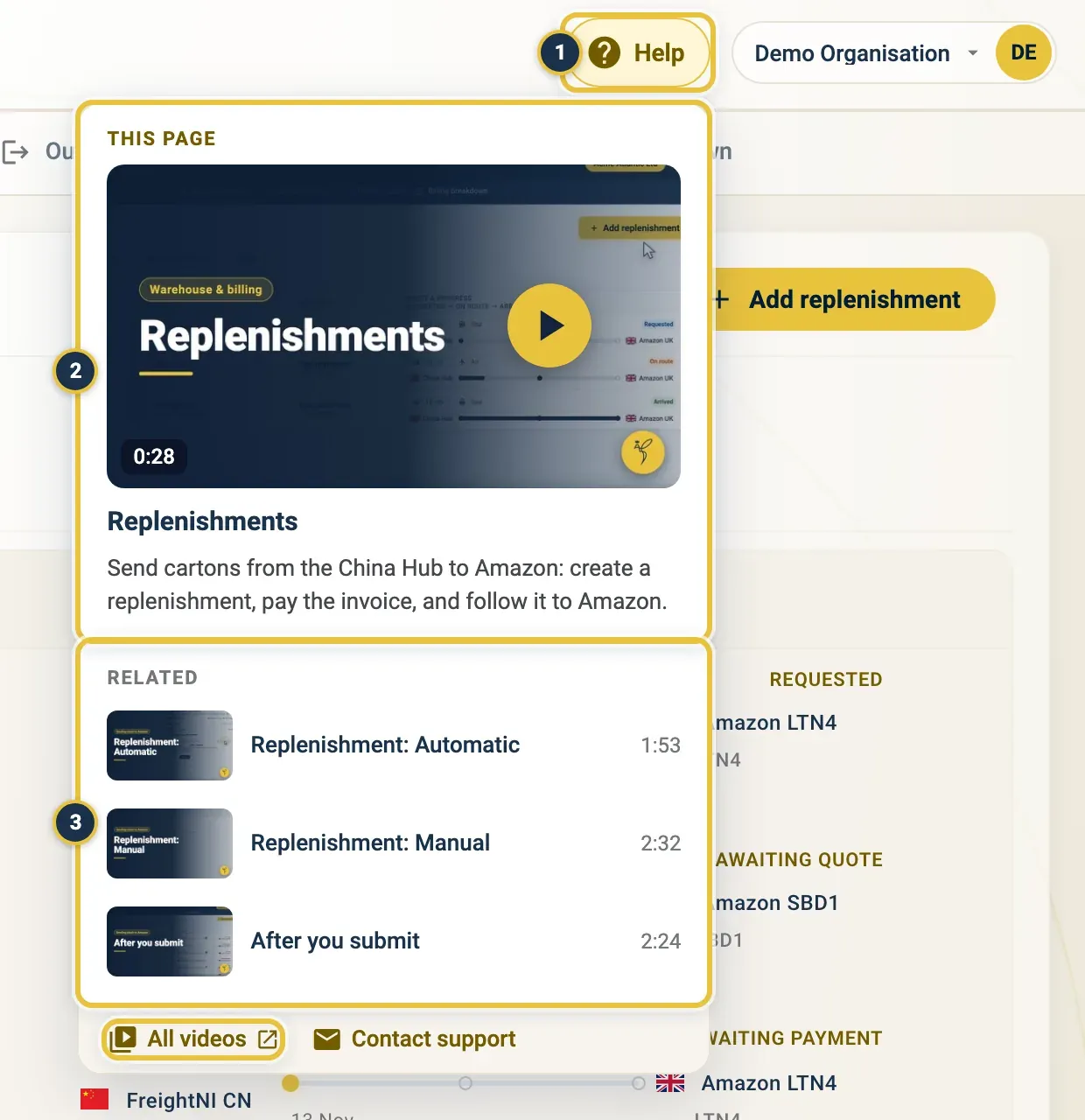
Help (1), the video under This page (2), and the Related videos (3). All videos is at the bottom.
Open Help on any page: its own video first, related videos below, and All videos and Contact support at the bottom.
Contact support
Section titled “Contact support”- Click Help in the top bar, then Contact support. You can also use Support in the footer of any page.
- On the Support page, under Pick a topic, choose what your question is about.
- Click Open in mail app. Your email app opens with the right address and subject filled in.
- Describe what happened and send the email.
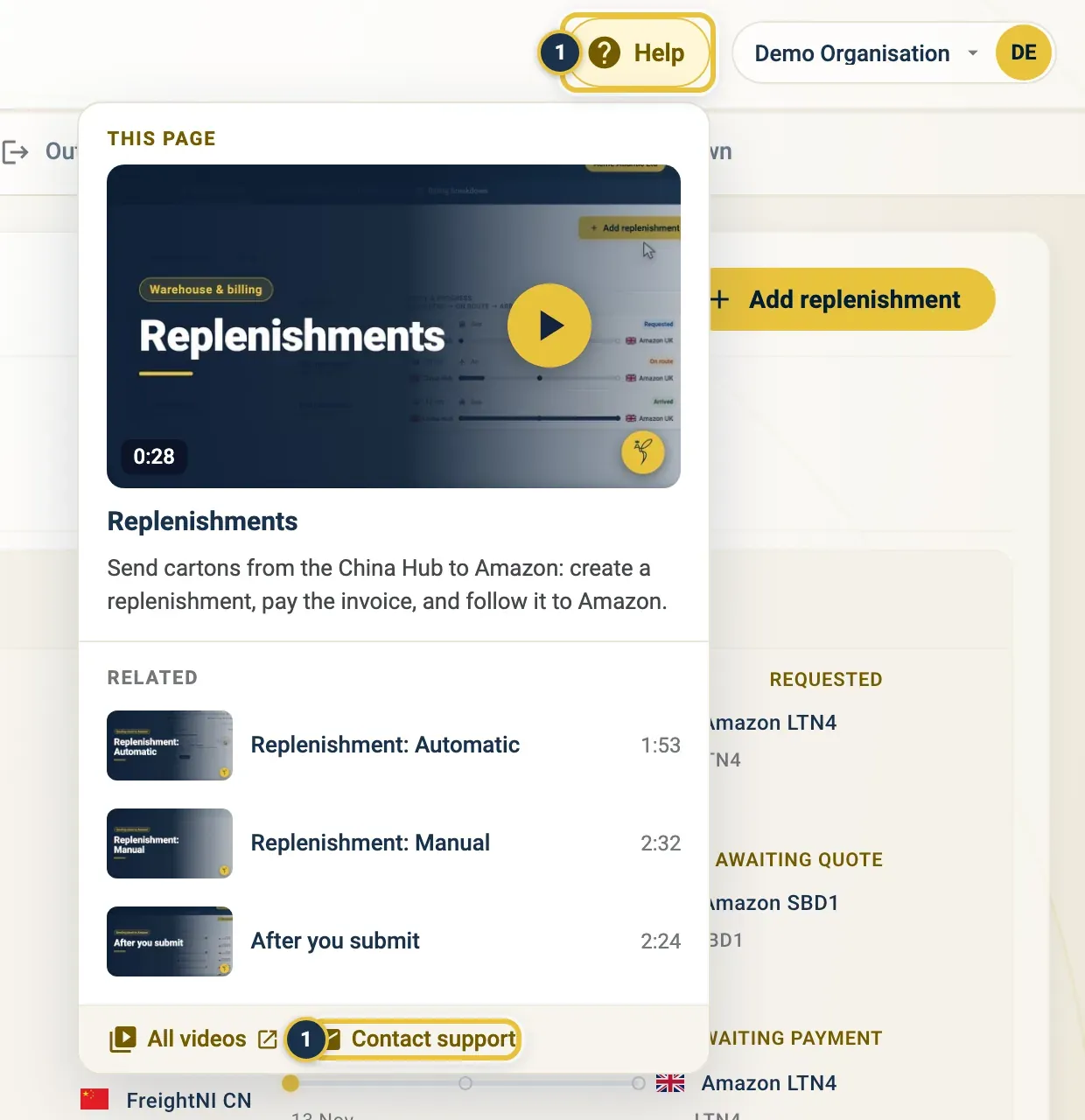
Help, then Contact support (1).
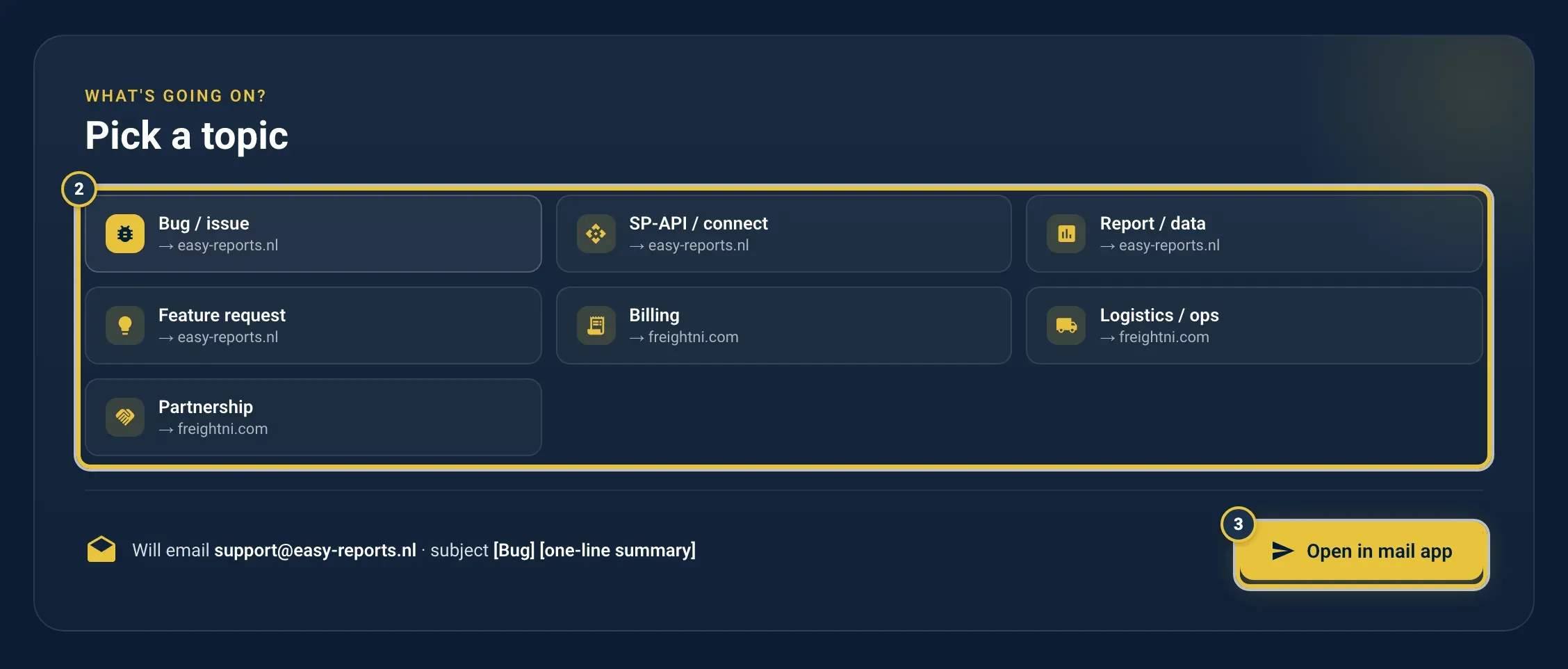
Pick a topic (2), then Open in mail app (3).
Product questions go to EasyReports product support: Bug / issue, SP-API / connect (your Amazon connection), Report / data and Feature request.
Warehouse and money questions go to FreightNI: Billing, Logistics / ops and Partnership.
Don’t see your topic? A plain email to support@easy-reports.nl works too.
What to put in a support email
Section titled “What to put in a support email”The product support email opens with a short template. Fill in:
- your organisation or account
- the page or link where it happened
- what happened, and what you expected
- the steps to make it happen again
For something urgent, start the subject with [URGENT].
Who answers which question
Section titled “Who answers which question”- Product support (support@easy-reports.nl): bugs, the Amazon connection, a report that looks wrong or won’t load.
- FreightNI (enquiries@freightni.com): invoices, your plan (Lite or Pro), contracts, your stock and shipments at the warehouse, and anything that isn’t a product issue.
Good to know
Section titled “Good to know”- Changes only the warehouse team can make, such as a locked SKU or carton size, adding a teammate, or the stock counts, go to FreightNI.
- Want to look around without your own data? Click Try our Demo on the sign-in page. See Getting started.
- For a plan for your first days, see Your first week.