

Connect Amazon
On Lite and Pro, EasyReports connects to your Amazon account. Connect once, and your orders, fees, stock and settlements come in by themselves, for every marketplace you sell in.
On the Free plan, you need Lite or Pro before you connect Amazon. For now, you get Lite or Pro by asking FreightNI. See Get Lite or Pro today.
Open the Connect Amazon page
Section titled “Open the Connect Amazon page”- On the Main Dashboard, click Connect Amazon in the Amazon widget.
- Or open the user menu (top right) and click Amazon Settings. Until a region is connected, the page is called Connect Amazon.
You need to have one organisation selected. If you see “Please select a specific organization”, pick one from the user menu first.
Connect Seller Central for a region
Section titled “Connect Seller Central for a region”Amazon works in four regions: North America, Europe, Japan and Australia. You connect each region on its own.
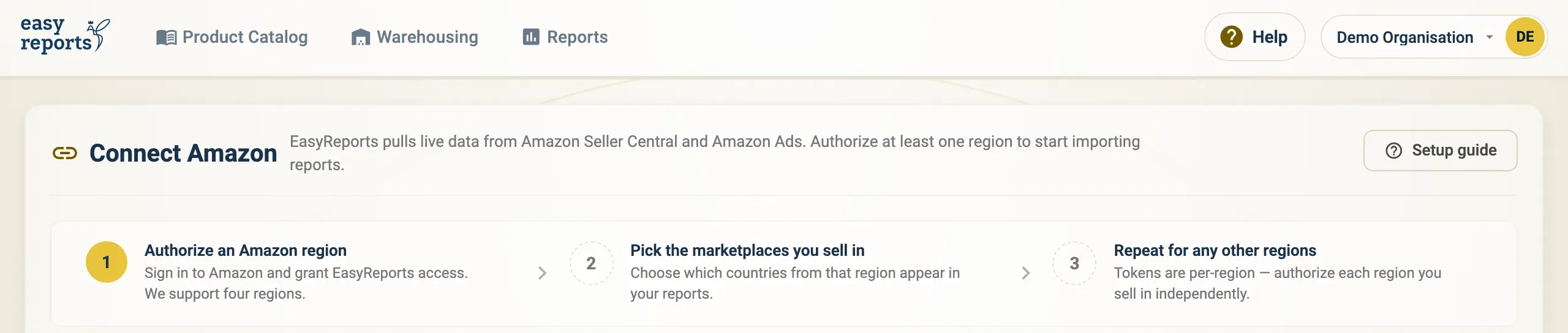
The Connect Amazon page sums up the three steps: authorize a region, pick its marketplaces, and repeat for any other region.
- On the Connect Amazon page, find the card for the region you sell in.
- Click Authorize Seller Central.
- Amazon opens Seller Central. Sign in with an account that has admin access, and approve access for EasyReports.
- You are brought straight back to EasyReports. The region now shows as Authorized.
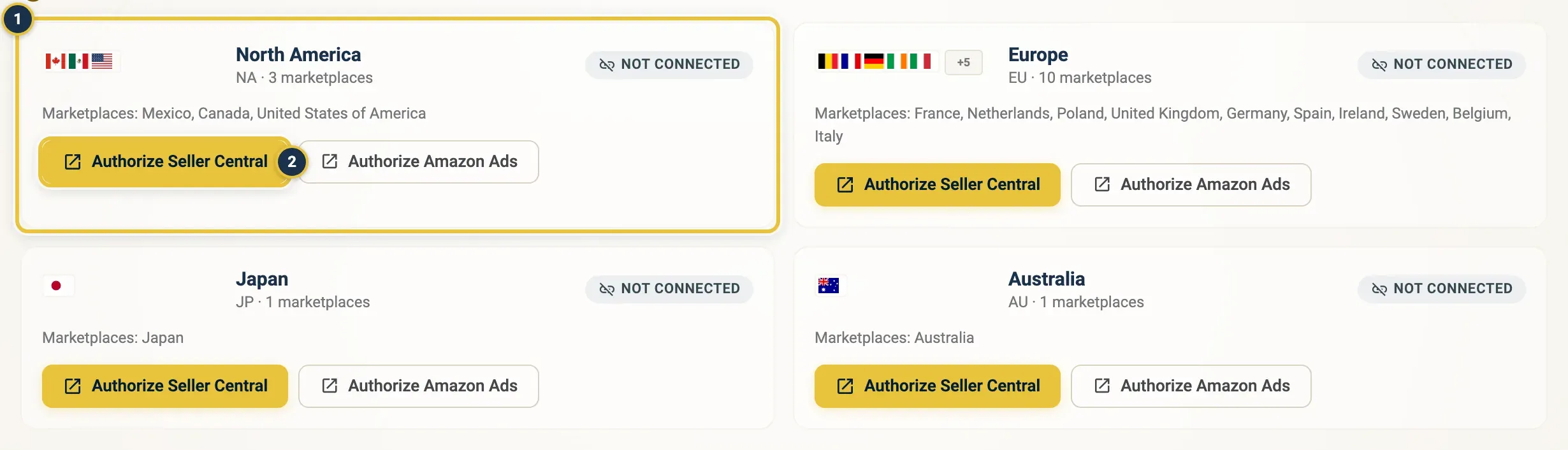
Find your region’s card (1) and click Authorize Seller Central (2).
The Connect Amazon page: four regions, each with its own Authorize Seller Central and Authorize Amazon Ads buttons.
Choose your marketplaces after connecting Amazon
Section titled “Choose your marketplaces after connecting Amazon”- On the Amazon Settings page, click the region you just connected.
- Open the Marketplaces tab.
- Tick the countries you sell in, in the Seller Central column (and the Ads column if you use Amazon Ads there).
- Click Save.
Connect Amazon Ads
Section titled “Connect Amazon Ads”To bring in your advertising data as well, connect Amazon Ads in the same way:
- On the Connect Amazon page, click Authorize Amazon Ads on the region’s card. Once a region is connected, open the region on Amazon Settings and click Authorize next to Amazon Ads.
- Sign in to Amazon and approve access.
- Pick your preferred Ads profile per marketplace. See Amazon settings.
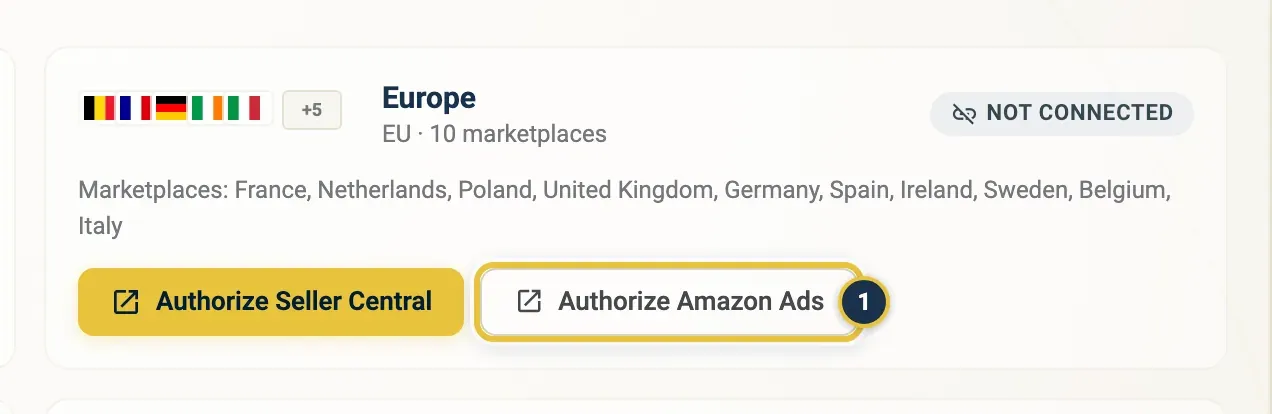
Authorize Amazon Ads (1) sits next to Authorize Seller Central on each region card.
Connect more than one region
Section titled “Connect more than one region”Selling in more than one region? Repeat the steps above for each region. Each region has its own connection.
Good to know
Section titled “Good to know”- Your first reports arrive with the next import, so they don’t show up straight away.
- To add a marketplace later, renew permissions or change your Ads profile, see Amazon settings.
- Amazon data feeds the Amazon widget on the Main Dashboard and the reports under Reports. See Reports at a glance.